Start with the customer outcome
A useful first version begins with a clear problem, not a long feature list. For a subscription-change tool, the goal might be to help customers request a pause and give staff a clear way to review and record that request. Before thinking about software details, decide who needs to do what, and what a successful outcome looks like for each person. KAXXIS supplies a licensed runtime—the environment used to run an application—and a Module SDK, the tools for creating modules. Project-specific modules provide the application’s screens, workflows, data model and integrations. Examples in the platform catalogue are not finished applications automatically included with a licence. So the practical question is not whether a ready-made subscription tool is included, but what your own first module would need to do. (Evidence: 4, 5)
- Describe the customer problem in one sentence.
- Name the people involved and the outcome each needs.
Illustrative example: map a pause request
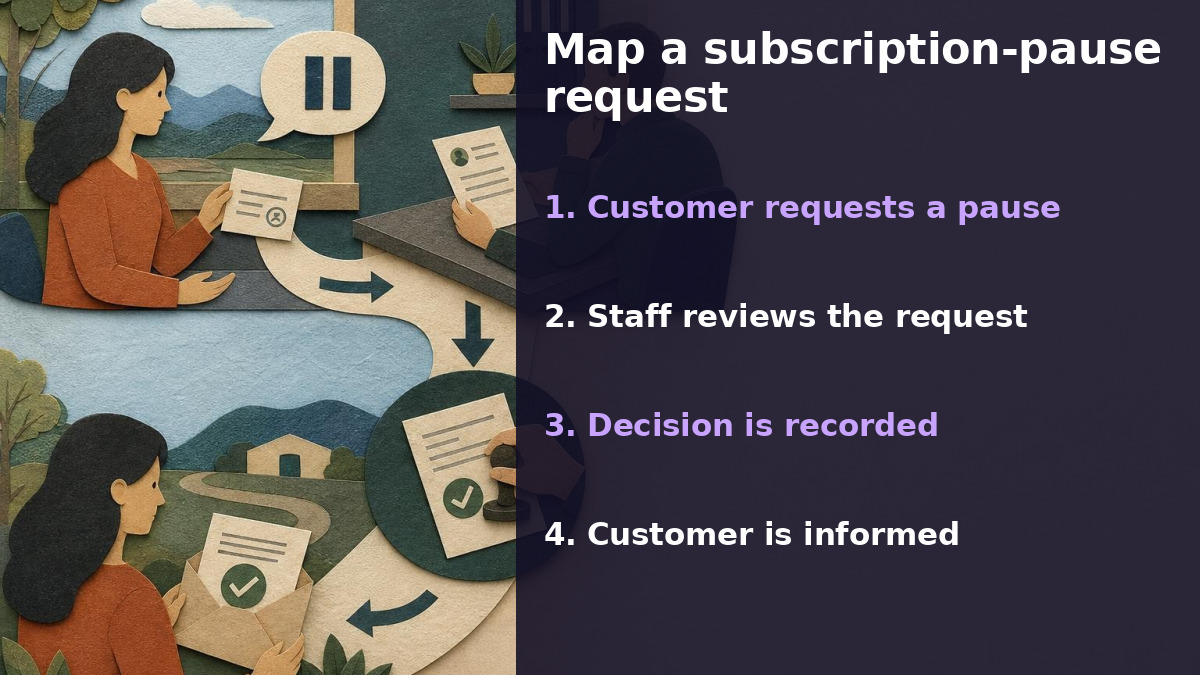
Imagine a customer asks to pause a subscription, and a staff member reviews the request. This is a planning example, not a ready-made KAXXIS feature. Use it to make the idea concrete before development: The customer needs a place to submit a request and see that it has been received. The staff member needs a way to review the request, make a decision and record it. The business may need a record of the request and decision so the people involved can understand what happened later. Those are starting points for discussion, not assumptions about which screens, rules or records your business must use. Sketch the journey in ordinary language: “Customer asks to pause” → “Staff reviews” → “Decision is recorded” → “Customer is informed.” Then ask what information is needed at each step, who can see it, and what should happen if information is missing. A module’s screens, workflow and data model—the way it organises information—are project-specific, so agree these requirements rather than treating the sketch as an existing product capability. (Evidence: 5)
- Users: customer and reviewing staff member.
- Screens: request form and staff review view, if these are needed.
- Workflow: submit, review, record a decision and communicate it.
- Records: identify what information must be kept and who should access it.
Turn the sketch into testable requirements
A prototype can show an idea, but a useful business tool also needs agreed rules and checks. Write requirements as questions the team can answer: Can a request be changed after submission? Who is allowed to decide? What should the customer be told? Which details are essential, and which should not be collected? These questions help you validate the workflow with the people who will use it before committing to a larger build. If the tool serves multiple customer organisations, include a specific privacy check: one organisation must not be able to see or change another’s records. KAXXIS’s developer walkthrough calls for authorised access to endpoints, records scoped to the right tenant (customer organisation), and tests that check one tenant cannot read or update another tenant’s records. This is a development and validation consideration, not a claim that your proposed workflow already exists. The walkthrough also recommends building the unmodified starter before making changes, to help separate setup problems from later code changes. (Evidence: 9, 10)
- Write the expected result for each workflow step.
- List roles and the information each role should be able to access.
- Agree what scenarios must be tested, including access between customer organisations if relevant.
- Validate the wording and process with prospective users before expanding the scope.
Agree the first-module scope and next step
A good first-module plan says what is in scope, what can wait, and what still needs a decision. Bring your user journey, screen sketches, information needs and test questions to a discovery conversation. Ask which screens, workflow steps, records and integrations belong in the first module—and which are later possibilities. Also discuss delivery boundaries. KAXXIS states that deployment scope, support and updates are agreed in the proposal. Hosting, AI subscriptions, external provider usage, payment integrations and bespoke development are separately configured or scoped; do not assume they are included in a module or licence. (Evidence: 4, 6) For managed hosting, the documented release process includes an authorised operator staging a reviewed module release through Package Manager and a controlled host restart to activate it. Module code is trusted code running within the application, so it needs review. This makes review and release responsibility useful proposal questions, rather than details to leave until after the workflow is designed. (Evidence: 11) Your next step: prepare a one-page brief with the user problem, the illustrative journey, the first set of requirements and open questions. Use it to discuss module scope, deployment and support before development is planned.
- Keep the first version focused on one useful customer journey.
- Mark unresolved choices as questions, not assumed features.
- Ask who reviews module changes and how release responsibility is handled.