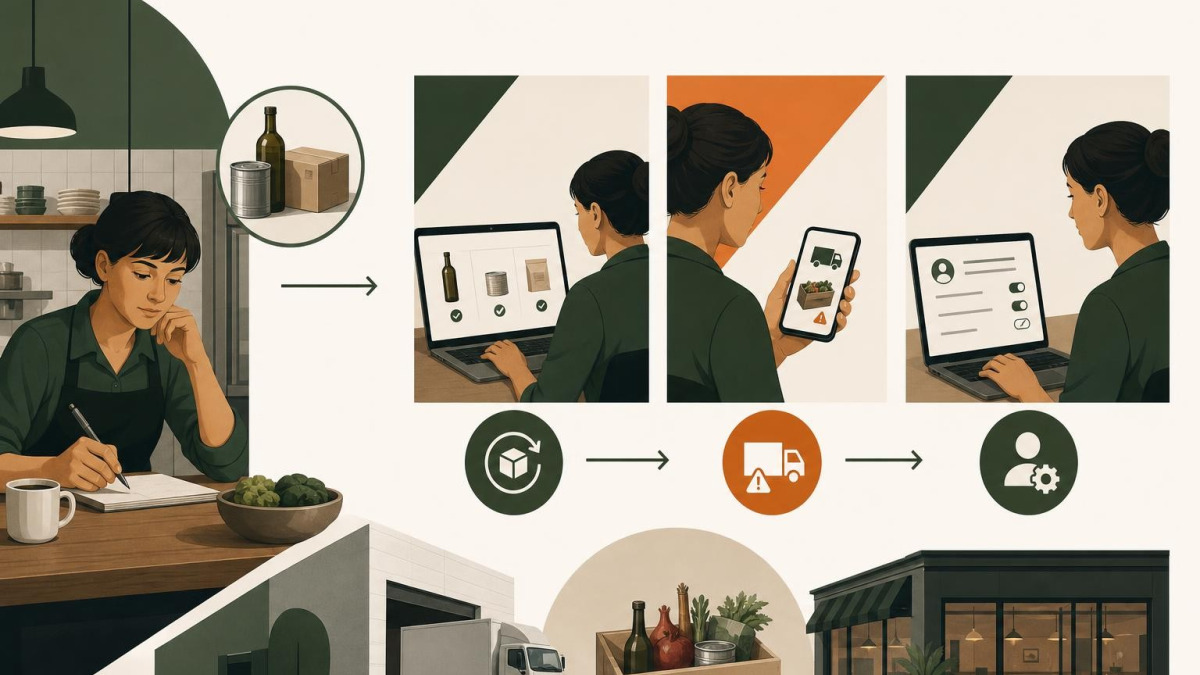
1. Start with a repeated customer task
Specialty food distributors serve buyers who may reorder familiar products, manage account preferences and need a clear way to flag delivery problems. A focused customer portal could bring those tasks into one place, giving buyers a convenient way to manage routine interactions with their distributor. This is an illustrative build concept, not a description of an existing KAXXIS application. Its first version might let a buyer manage recurring orders, track a delivery issue and update account preferences. The useful outcome to aim for is a portal organized around real customer tasks—not a long feature list. In a Nov. 4, 2026 post on X, Jerry Liu argued that coding agents could make it easier for startups to compete and suggested SaaS value may shift toward data. That is his opinion, not a settled forecast. For a niche product, the practical takeaway is to understand what information and workflows your audience values before deciding what to build.
- Name the specific buyer who would use the portal, such as a restaurant purchaser or independent retailer.
- Choose one recurring task that currently feels fragmented or inconvenient.
- Ask potential users how they handle that task today and what a better experience would need to include.
2. Define a focused first version
Turn the idea into a small set of requirements. For example, a proposed first version could include a screen for reviewing recurring orders, a way to record and follow a delivery issue, and an account-preferences screen. Those are possible features for this example, not capabilities claimed to be already built into KAXXIS. For each feature, write down what the customer needs to see, what action they can take and what information the application must keep. A business module supplies project-specific screens, workflows and a data model; integrations are also project-specific. KAXXIS provides the platform foundation and a build kit for creating and preparing an application. This separation lets you think about the customer experience as your product, while using the platform as its foundation.
- List the portal’s intended users and the tasks each user needs to complete.
- Describe the order, issue and preference information the proposed screens would show or collect.
- Mark integrations as requirements to investigate, rather than assuming they are already available.
3. Map the customer journey before building
Sketch the journey for one buyer. They might open the portal, review a recurring order, make a change, then check the status of a delivery issue. Decide what confirmation or next step the buyer should see after each action. This simple walkthrough can help reveal missing steps before you invest effort in a larger feature set. Next, map the proposed screens to the workflows and information they need. For instance, an issue-tracking screen might show the details a buyer submitted and the current status, while an account-preferences screen might display the choices the buyer can change. These are design questions for your application—not claims that a finished screen or workflow is included in the platform. KAXXIS’s build kit is described as helping creators create, license, translate, deploy and upgrade applications. The project-specific screens and workflows are supplied by the business module. Keep the first journey narrow enough that you can review it with prospective users and refine the requirements.
- Draw the steps from sign-in to task completion for one customer journey.
- For every step, identify the screen, information and customer action it would require.
- Ask a prospective user to walk through the sketch and point out anything confusing or missing.
4. Plan customer information and access deliberately
A portal for multiple distributor customers needs clear decisions about whose information each person can view or change. As a planning exercise, write down the customer accounts, users and records the proposed application would need, then define which users should be allowed to access each record. This matters especially when different businesses share one application. KAXXIS’s developer walkthrough calls for authorising endpoints, limiting record queries to the relevant tenant and testing that one tenant cannot read or update another tenant’s records. In plain language: decide the access rules, and test that one customer cannot see or change another customer’s data. Treat that as a design and verification requirement, not an automatic result of choosing a platform.
- Identify whether each record belongs to an individual user, a customer account or the distributor.
- Write down who can view and change each kind of information.
- Include a test that checks a user from one customer account cannot access another account’s records.
5. Review the build, then discuss deployment
Before broadening the concept, review the proposed journey against your users’ needs: can a buyer understand the order information, report a delivery issue and find their account preferences? These are checks for the example product you are planning, not a claim that KAXXIS includes those features. KAXXIS provides a modular SaaS foundation and a build kit that helps creators create, license, translate, deploy and upgrade applications. Deployment scope, support and updates are agreed in the proposal, so discuss how your particular application would be packaged and deployed rather than assuming every project has the same arrangement. A useful next step is to write a one-page outline: who the portal serves, the first customer journey, the proposed screens and information, and the access rules to verify. Then explore what you could build with KAXXIS and use that outline to discuss whether the platform fits your application idea.
- Review the proposed first version with people who match your intended audience.
- List open questions about project-specific integrations, deployment scope and support.
- Explore what you could build with KAXXIS and bring your outline into the conversation.
News sources
- i agree that vibe-coded solutions will not replace enterprise-grade saas … — published 2026-11-04T01:20:31+00:00
- Webflow vs Vibe Coding: Which Is Better for a B2B SaaS Website? | ViDesigns – Webflow Agency — published 2026-10-26T12:22:30+00:00