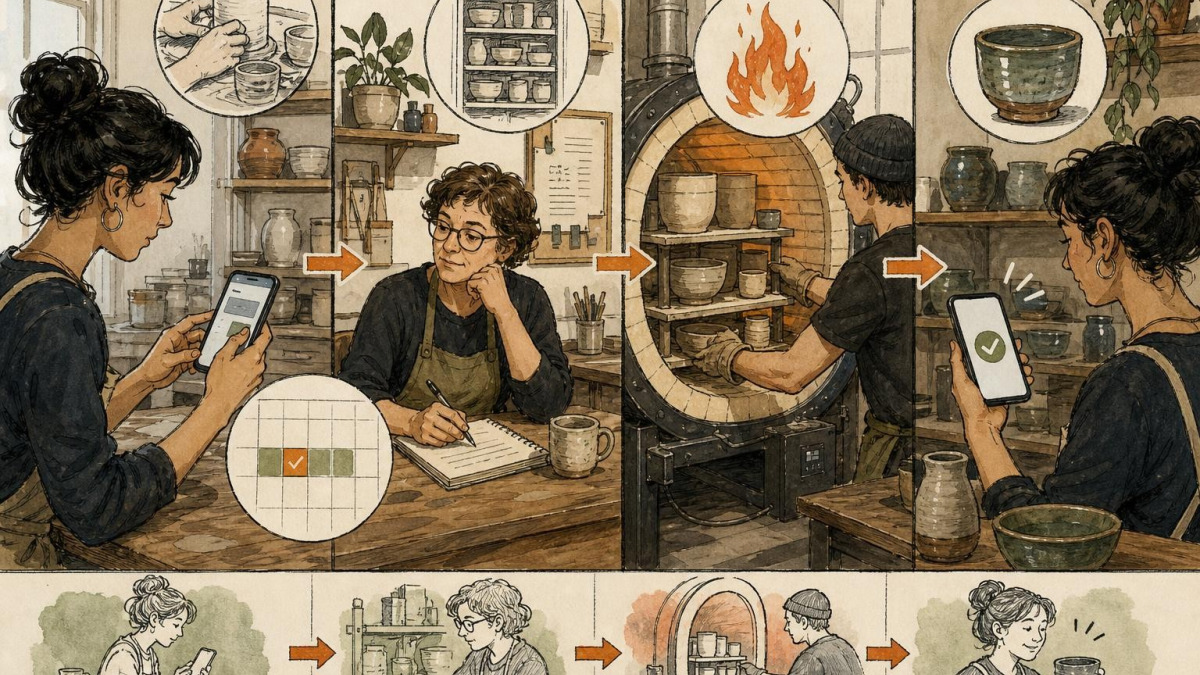
1. Start with a specific studio problem
Independent pottery studios may share kiln time among members, resident artists or visiting makers. If people struggle to see when a kiln is available, what they have booked or whether a firing has finished, a focused app could make that coordination easier. The opportunity is not simply to put a calendar online: it is to give a particular pottery community one clear place to organise kiln use. In an October 21, 2026 post on X, Lily Ray shared an individual view that some vibe-coded tools are things she would rather build herself. That is one person’s opinion, not evidence of a general market trend. A useful lesson for a creator is to identify a specific audience and a reason its members would choose a purpose-built tool over a generic one. For this concept, that reason might be coordinating shared kiln access around how a particular studio operates.
- Name the first group you hope to serve: for example, one independent studio or a community of studios.
- Ask members and studio staff where coordination currently becomes confusing.
- Write down the main user benefit in one sentence before deciding on features.
2. Design the first version around a real booking
Illustrative example: a shared-kiln app could let a studio member view available firing slots, request a booking and check its status. A studio coordinator might review requests and update the status when a firing is scheduled, underway or complete. These are proposed features for this app concept—not capabilities claimed to be included automatically with KAXXIS. Keep the first version focused on a small number of user journeys. A member needs to find a suitable slot and understand what happens next. A coordinator needs to see requests and keep booking information current. If the studio has rules about kiln type, loading or who can approve a booking, decide how those rules should affect the experience before adding extra screens.
- List the essential information a member needs before requesting a slot.
- Sketch the booking and status steps from the member’s point of view.
- Identify who reviews requests and what information they need to do so.
- Leave optional extras out until the core journey is clear.
3. Shape it as a project-specific application
KAXXIS provides a foundation and a build kit to help creators make, license, translate, deploy and upgrade applications. Business modules supply the project-specific screens, workflows, data model and integrations. That makes the platform relevant to a creator shaping a focused app around one community’s needs, rather than treating a general-purpose product as if it already fits every studio. (70266, 5) For the kiln concept, the booking calendar, request flow and firing-status view would need to be defined for the project. Platform catalogue examples are not finished applications automatically included in a licence; the studio-specific module is where those requirements belong. Before building, agree which parts are essential for the first version and which can wait. (5)
- Describe the app’s users, core screens and main workflow in plain language.
- Decide what booking information needs to be recorded and who can update it.
- Separate first-version requirements from later ideas such as reminders or additional studio locations.
- Discuss the application idea and its project scope before assuming a particular feature or integration is available.
4. Check the path from build to use
A useful concept also needs a practical path to deployment. KAXXIS provides a licensed runtime and Module SDK, while deployment scope, support and updates are agreed in the proposal. So, for this example, a creator should discuss what deployment and ongoing arrangements are intended for the kiln app rather than assume they are already settled. (4) Use this checklist to turn the idea into a productive next conversation:
- Can you name the community and the specific coordination problem the app addresses?
- Can a member and a coordinator each describe the main task they need to complete?
- Are the first-version screens and workflows clearly identified as project requirements?
- Have you listed any integrations or other requirements that need to be discussed and scoped?
- Is the intended deployment and support arrangement ready to be discussed in a proposal?
News sources
- Webflow vs Vibe Coding: Which Is Better for a B2B SaaS Website? | ViDesigns – Webflow Agency — published 2026-10-26T12:22:30+00:00
- Lily Ray — published 2026-10-21T02:59:15+00:00
- Marc Lou on X: "Software is having its Uber moment. For years, SaaS companies could keep raising prices because building an alternative was too expensive. AI changes that. Now anyone can enter the market with a competitive pricing. And customers can vibe code a good-enough version themselves." / X — published 2026-10-20T03:29:25+00:00