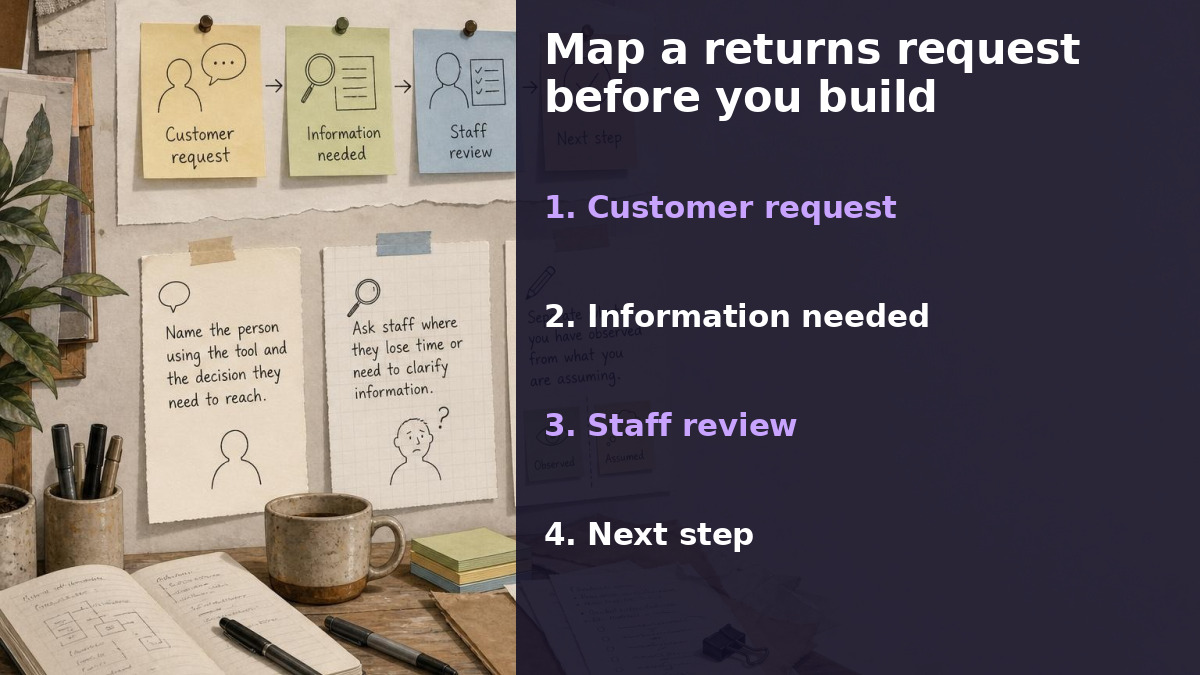
Start with the decision the app should help someone make
A returns app is worth exploring when it helps your team move from a customer’s request to a clear next step. Before thinking about screens or AI prompts, identify the decision staff need to make and what information they need to make it. This keeps a prototype focused on a real task instead of a list of imagined features. Talk to the people who handle returns and ask them to describe a recent, ordinary request—not a best-case scenario. Where do they pause to look something up? What is unclear to the customer or the staff member? What information is often missing? Capture the current steps and the points where the process breaks down. Those answers give you a testable starting point for an idea, whether you sketch it yourself or use AI to help organise your notes. AI assistance is a way to explore the idea, not proof that the resulting software is ready for everyday use.
- Name the person using the tool and the decision they need to reach.
- Ask staff where they lose time or need to clarify information.
- Separate what you have observed from what you are assuming.
Illustrative example: follow one request through to a decision
Illustrative example—not a real customer case: imagine a customer asking to return an item. Map the journey as questions rather than assuming a ready-made app feature: What does the customer need to provide? What must staff check? What choices can staff make under the business’s own policy? How will the customer learn what happens next? A simple prototype might represent those steps so staff can react to the flow. Ask them to try the example and point out missing information, confusing choices and steps that do not match how they work. Revise the workflow, then test it again with another realistic scenario. The aim is to find gaps in your understanding before treating the prototype as a dependable business tool.
- Write down the request, the information needed, the staff review and the next step.
- Have a returns-handling colleague walk through the example.
- Record what changed after their feedback; do not present assumptions as agreed requirements.
Where KAXXIS fits in the idea-to-tool journey
KAXXIS provides a licensed runtime and Module SDK for building software around project-specific screens, workflows, data models and integrations. In plain language, a business module is the project’s own application layer: it is shaped around the agreed use case. Examples in the platform catalogue are not finished applications automatically included in the licence. [Evidence 5] For a returns-review idea, that means the workflow you map can become the basis for discussing what a project-specific module might need to do. It does not mean that a returns app, a particular integration or an AI app-building feature is already included. The runtime is licensed, while deployment scope, support and updates are agreed in the proposal. [Evidence 4] This is relevant if you are a business owner or non-coder with a clear process to improve: you can bring the problem, example journeys and questions to a project conversation without pretending that a rough prototype is already finished software.
Turn your notes into a useful project conversation
Before deciding what to build, turn your observations into a short brief. Keep business needs separate from choices that still need discussion. For example, if the tool might serve multiple businesses, ask how each business’s records should remain separate. The KAXXIS developer walkthrough calls for tenant-scoped record queries and testing that one tenant cannot read or update another tenant’s records; this is a design and validation concern to raise, not a claim that your proposed app already handles it. [Evidence 10] Also clarify what is in scope. Hosting, AI subscriptions, external provider usage, payment integrations and bespoke development are separately configured or scoped. [Evidence 6] If the project proceeds, deployment scope, support and updates are agreed in the proposal. [Evidence 4] Those details are worth discussing alongside the workflow so expectations are clear before development decisions are made.
- Bring one mapped example and the questions staff raised.
- List the information, decisions and integrations the tool may need; mark uncertain items as questions.
- Ask what is included in the proposed scope, including deployment, external services and ongoing support.
- Agree how the work will be reviewed and tested before relying on it in day-to-day operations.